
Last Updated on July 14, 2026 by Vinod Saini
- Why Your SEO Tool Stack Matters More in 2026
- Chapter 1: Free SEO Tools — Professional Results at Zero Cost
- Chapter 2: Free + Paid SEO Tools — Freemium Power
- Chapter 3: Paid SEO Tools — Competitive Edge for Serious Growth
- Recommended Tool Stack by Business Type
- 3 SEO Tool Trends You Need to Know in 2026
- Frequently Asked Questions
- Related SEO Guides
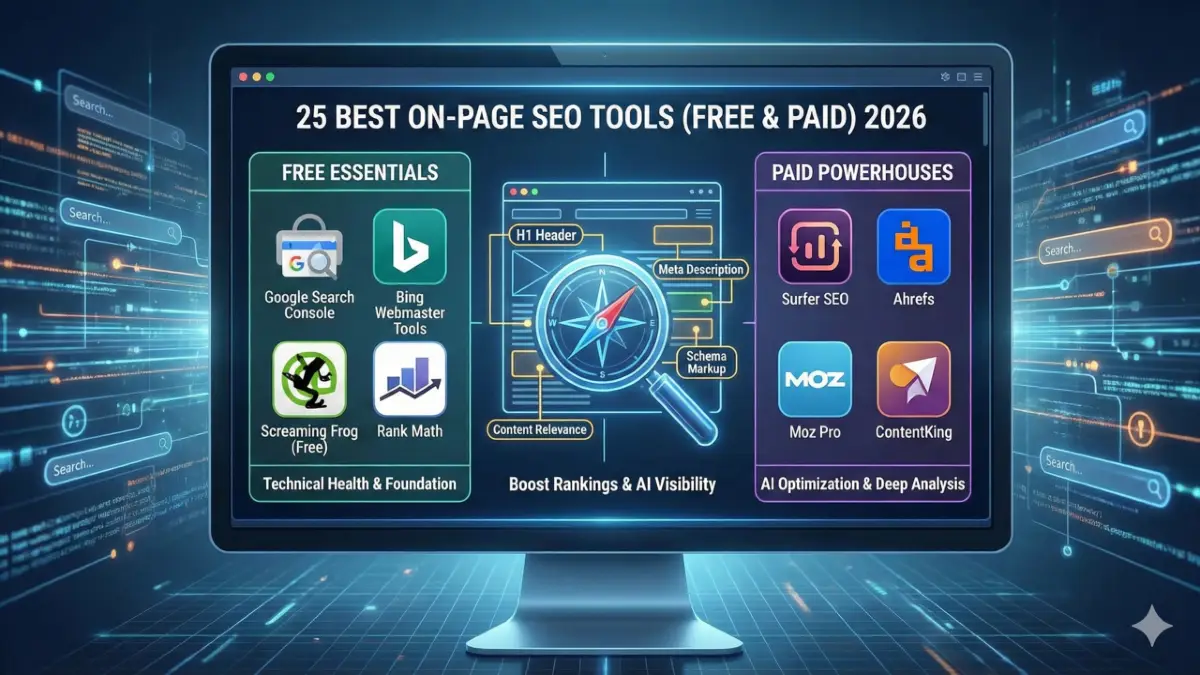
Quick Answer: The 4 non-negotiable on-page SEO tools in 2026: Google Search Console (ground truth data from Google), Screaming Frog (technical crawl audit), Rank Math or Yoast (WordPress automation), and Surfer SEO or Ahrefs Webmaster Tools (content depth and backlink monitoring). Free tools cover 80% of what Indian SMBs need. Paid tools like Surfer SEO ($89/month) provide the competitive edge for national keywords. All 25 tools below are ranked by use case — not just price.
Key Takeaways
- Google Search Console is the only tool that gives direct Google data — use it as your primary performance source
- Ahrefs Webmaster Tools is now free for verified site owners — professional backlink and technical data at zero cost
- INP (Interaction to Next Paint) is a live 2026 ranking signal — make sure your stack tracks this, not just LCP and CLS
- Rank Math free tier includes schema generator, 404 monitor, and redirect manager — more than most paid plugins
- For AI Overview optimization, Rank Math AI and Surfer SEO NLP analysis both check citations eligibility in real time
- Indian SMBs: Ubersuggest at $12/month ($144/year ≈ ₹12,000/year) is the highest-value paid entry point
Why Your SEO Tool Stack Matters More in 2026
Google processes 8.5 billion+ searches daily. AI Overviews now appear in roughly 15% of all searches — and that number is climbing. Your content doesn’t just need to rank. It needs to be structured clearly enough for Google’s AI to read, extract, and cite.
Tools that check schema markup, heading hierarchy, content depth, and direct-answer structure are no longer optional extras. They’re foundational.
The 25 tools below are organised by what they actually solve.
Chapter 1: Free SEO Tools — Professional Results at Zero Cost
1. Google Search Console
Core function: Monitor indexing, crawl errors, Core Web Vitals, and organic performance directly from Google.
The only tool pulling data directly from Google with zero estimation. See exact search queries, coverage errors, INP/LCP/CLS scores, and AI Overview appearance data for your own domain. Pro tip: URL Inspection → View Tested Page shows exactly how Google renders and sees your page — including whether JavaScript blocks content indexing.
2. Bing Webmaster Tools
Core function: Technical site scan and SEO reports for Bing/Copilot.
Most SEOs ignore Bing — a mistake in 2026. Bing powers Microsoft Copilot search and drives ~6% of global search traffic. Its Site Scan identifies missing H1s, large images, and crawl issues that affect all search engines.
3. Greenflare
Core function: Open-source desktop SEO crawler — no URL limits.
Lightweight crawler for Windows, Mac, and Linux. Unrestricted crawling depth makes it genuinely useful for mid-sized sites where paid crawlers are cost-prohibitive.
4. httpstatus.io
Core function: Bulk HTTP status code and redirect chain checker.
Paste in a list of URLs and instantly see 200, 301, 302, or 404 status. Redirect chains that hop through multiple URLs leak link equity at every hop — this tool spots chains in seconds.
5. SEO Server Header Checker
Core function: Reveal server-side technical data including X-Robots-Tag.
Verifies X-Robots-Tag headers — the invisible directives that can accidentally block Googlebot from pages that look normal in a browser. One of the most underused diagnostic tools available, and completely free.
6. Siteliner
Core function: Internal duplicate content and broken link detection.
Calculates the ratio of unique content to boilerplate text across your entire site. Pages with high “Common Content” percentages get devalued by Google. Siteliner shows exactly where this is happening — and which pages are most affected.
7. SEO Minion
Core function: On-page analysis, hreflang checker, SERP preview.
Browser extension with a standout Hreflang Checker — essential for multilingual or multi-region Indian sites (en-IN vs hi-IN vs en-US). Validates international SEO tags instantly without reading raw code.
8. Detailed SEO Extension
Core function: Heading structure, schema, metadata one-click X-ray.
Shows H1–H6 hierarchy, schema types, canonical tags, and meta data in a clean overlay. Essential for competitive analysis — check how top-ranking competitors structure content before writing yours.
9. SEO Pro Extension
Core function: On-page SEO audit in your browser tab.
Highlights missing alt text, schema gaps, and Core Web Vitals issues directly as you browse. Fast and visual — ideal for quick pre-publish checks.
10. Link Redirect Trace
Core function: Full redirect path and HTTP header analysis.
Shows the complete journey of any link. If a valuable backlink passes through a 301 then a 302 before reaching your page, you lose authority at each hop. This tool makes that visible instantly.
11. Varvy SEO Tool
Core function: Page speed, mobile-friendliness, and Googlebot accessibility.
Follows Google’s own published guidelines to check whether CSS and JavaScript files are blocked — a common cause of rendering failures that prevent Google from properly seeing page content.
Chapter 2: Free + Paid SEO Tools — Freemium Power
12. SEOlyzer
Core function: Server log file analyser — shows Googlebot’s real crawl behaviour.
Log file analysis is the most underused technique in technical SEO. SEOlyzer shows which pages Googlebot actually crawls and how frequently. Reveals crawl budget waste on thin or duplicate pages — critical for large Indian sites with hundreds of location pages.
13. Checkbot
Core function: Multi-page SEO, speed, and security testing (Chrome extension).
Audits hundreds of pages simultaneously for broken links, duplicate title tags, and mixed HTTPS errors. Useful for pre-launch site checks or monthly health reviews.
14. Ahrefs Webmaster Tools ⭐
Core function: Site audit and backlink monitoring — FREE for verified domains.
Best free upgrade of 2026. Verified site owners get full Site Audit and Site Explorer access for their own domain. Professional-grade technical issues and backlink profiles at zero cost.
15. Screaming Frog SEO Spider ⭐
Core function: Technical SEO crawler — industry standard.
Free version: 500 URLs. Finds orphan pages, circular redirects, large files, missing meta tags, and duplicate content. Paid (£259/year ≈ ₹27,000/year): Unlimited crawling, JavaScript rendering, Google Analytics integration. The single most used technical SEO tool in agency workflows globally.
16. Yoast SEO
Core function: WordPress SEO automation — canonical tags, sitemaps, basic schema.
Handles technical implementation automatically. Lets content writers focus on readability and keyword placement rather than code. Free version covers most small business needs.
17. Rank Math SEO ⭐
Core function: Advanced WordPress SEO with AI suggestions and schema automation.
Free version includes 404 monitor, redirect manager, advanced schema generator, local SEO module, and AI content suggestions for AI Overview optimisation. In 2026, Rank Math AI suggestions help optimise for AI Overview citations directly inside WordPress — no separate tool needed. Best free WordPress SEO tool available.
18. Seobility
Core function: Full site audit and semantic content analysis.
Crawls your site and generates an optimisation score with prioritised fixes. The TF-IDF content tool (paid plans) shows semantic relevance compared to top-ranking pages — useful for identifying topic gaps before publishing.
19. Ubersuggest ⭐ (India Best Value)
Core function: Keyword research, site audit, and rank tracking.
Simplifies complex SEO data into accessible reports. $12/month (≈ ₹1,000/month) — the most affordable comprehensive SEO tool. Ideal for Indian business owners tracking local and national rankings without a technical background. Covers keyword research, competitor analysis, and basic site audits in one dashboard.
Chapter 3: Paid SEO Tools — Competitive Edge for Serious Growth
20. Surfer SEO ⭐
Core function: Data-driven content optimisation based on real SERP analysis.
Analyses every top-ranking page for your target keyword and tells you exactly how many words, headings, images, and NLP terms your content needs. $89/month. Removes content guesswork entirely. The Content Editor now includes AI Overview optimisation scoring — shows whether your content structure meets citation requirements. Essential for competitive national keywords in India.
21. Spark Content Optimizer (seoClarity)
Core function: Enterprise content optimisation inside your browser.
Brings enterprise-level content authority scoring to writing workflows. Assesses topic depth, technical alignment, and entity coverage as you write. Powerful for high-volume content teams.
22. Mangools SEO Tools
Core function: Keyword research, SERP analysis, and rank tracking.
KWFinder remains one of the best tools for finding low-competition keywords with real search volume. SERPWatcher tracks ranking changes over time. $29/month — strong value for freelancers and small Indian agencies.
23. Moz Pro On-Page Grader
Core function: On-page optimisation scoring with actionable suggestions.
Provides a single Page Score based on keyword usage in title, URL, headings, and body. Generates a prioritised fix list with non-technical explanations — useful for client reporting where clear, simple recommendations are needed.
24. ContentKing (Conductor)
Core function: Real-time 24/7 SEO monitoring — alerts the moment something breaks.
Traditional crawlers only run on schedule. ContentKing monitors continuously — alerting instantly if a meta tag gets deleted, a page gets blocked, or a canonical breaks. For e-commerce and high-traffic Indian sites, this prevents revenue loss from undetected technical errors.
25. Lumar (formerly DeepCrawl)
Core function: Enterprise JavaScript crawler for large-scale sites.
Built for sites with hundreds of thousands or millions of pages. Renders JavaScript at scale — critical for SaaS platforms, e-commerce stores, and news sites where dynamic content must be correctly crawled and indexed.
Recommended Tool Stack by Business Type
| Business Type | Free Stack | Paid Upgrade | India Budget/Month |
|---|---|---|---|
| Freelancer / Solo SEO | GSC + Rank Math + Screaming Frog | Mangools or Surfer SEO | ₹2,500–7,500 |
| Small Business | GSC + Yoast + Ahrefs WT | Ubersuggest or Seobility | ₹1,000–3,000 |
| Growing Agency | GSC + Screaming Frog + Ahrefs WT | Surfer SEO + ContentKing | ₹12,000–25,000 |
| E-Commerce / Enterprise | GSC + Screaming Frog + SEOlyzer | Lumar + ContentKing | ₹40,000+ |
3 SEO Tool Trends You Need to Know in 2026
1. AI-Powered Content Optimisation Is Now Standard
Rank Math AI and Surfer SEO NLP analysis both check AI Overview citation eligibility in real time. In 2026, the best SEO stacks combine technical auditing with AI content scoring.
2. Log File Analysis Is Back
With Google’s AI crawling more selectively, crawl budget management matters again for large sites. SEOlyzer and Screaming Frog’s log analyser show exactly where Googlebot spends its time.
3. INP Is the Core Web Vitals Metric to Watch
INP (Interaction to Next Paint) replaced First Input Delay in March 2024 and remains a live ranking signal in 2026. Make sure your tool stack specifically tracks INP — not just LCP and CLS.
Frequently Asked Questions
Which free SEO tool gives the most accurate data?
Google Search Console — pulls directly from Google with zero estimation. For backlinks and technical data on your own domain, Ahrefs Webmaster Tools (free for verified site owners) is the best free professional-grade tool.
Can you rank competitively using only free tools?
Yes for local and low-competition keywords. GSC + Screaming Frog (500 URLs free) + Rank Math covers technical and on-page needs. For competitive national keywords in India, Ubersuggest at $12/month is the best value step up.
What’s the best tool for optimising content for Google AI Overviews?
Rank Math AI (in WordPress) and Surfer SEO’s NLP analysis both help structure content for AI Overview citations. They check heading hierarchy, direct-answer section openers, and FAQPage schema — all critical for AI Overview eligibility.
Which SEO tools are best for WordPress sites in India?
Rank Math (free) + Google Search Console (free) + Screaming Frog (free up to 500 URLs). Paid upgrade: Ubersuggest ($12/month ≈ ₹1,000/month) is highest-value for Indian SMBs. Step up: Surfer SEO ($89/month) for competitive keyword targeting.
Related SEO Guides
- On-Page SEO Services — Full Process Guide
- Schema Markup Implementation Tutorial
- Core Web Vitals Optimisation Guide
- SEO Audit Checklist 2026
- How to Write SEO-Friendly Content
- WordPress SEO Tips
Using the wrong tools? Get a free 25-point SEO audit at CompareSEO.net — we identify which tools and fixes will have the highest impact on your rankings. 72-hour delivery.

Vinod Saini is an SEO Consultant, Technical SEO Specialist and SEO Content Writer with 15+ years of experience in search engine optimization and digital marketing. He specializes in Technical SEO, On-Page SEO, AI Search Optimization (AEO & GEO), Schema Markup, Core Web Vitals, Local SEO, and WordPress SEO. Through CompareSEO, he shares practical SEO strategies, industry insights, and actionable guides to help businesses improve their organic visibility and stay ahead of evolving search trends.