 By Vinod Saini
Last Updated on March 15, 2026 by Vinod Saini
Quick answer: Internal linking connects pages within your website to distribute PageRank, enhance crawlability, and guide users. In 2026, internal linking SEO has become one of the most controllable levers you have for improving rankings, user experience, and conversions. Research based on large-scale studies shows that pages with around 40–44 internal links tend to get significantly more organic clicks than sparsely linked pages, and strategic internal links alone can drive 25–60% ranking improvements and up to 40–80% growth in organic sessions.
Internal linking powers modern SEO strategies by channeling authority to key pages and improving navigation for both users and crawlers. Google’s user-behavior systems (Navboost-style algorithms) increasingly reward sites that guide visitors logically through their journeys, not just those with backlinks. Well-structured internal linking improves PageRank flow, supports topical clusters, and aligns with user intent — which in practice means better rankings, deeper sessions, and more conversions.
This guide delivers actionable internal linking best practices, backed by data from Ahrefs, Screaming Frog audits, external studies, and real-world implementations across blogs, SaaS, e-commerce, and service sites.
What Is Internal Linking?
Internal linking means creating hyperlinks between pages on the same domain. These internal links pass link equity (often called “link juice”) and help search engines understand which URLs are most important on your site. Crawlers follow internal links to discover, index, and evaluate your pages; users follow them to browse related content. When internal linking SEO is done well, you increase dwell time, pages per session, and the chances a visitor converts.
Most effective internal linking SEO strategies use content silos or topic clusters:
-
Hub-and-spoke (pillar-cluster) models
-
Pillar pages: broad topics, like “Internal Linking SEO: Complete Guide.”
-
Spoke pages: subtopics such as “anchor text optimization,” “internal link audits,” “site architecture for SEO.”
-
-
Bidirectional links
-
Hubs link out to spokes.
-
Spokes link back to the hub and to each other where relevant.
-
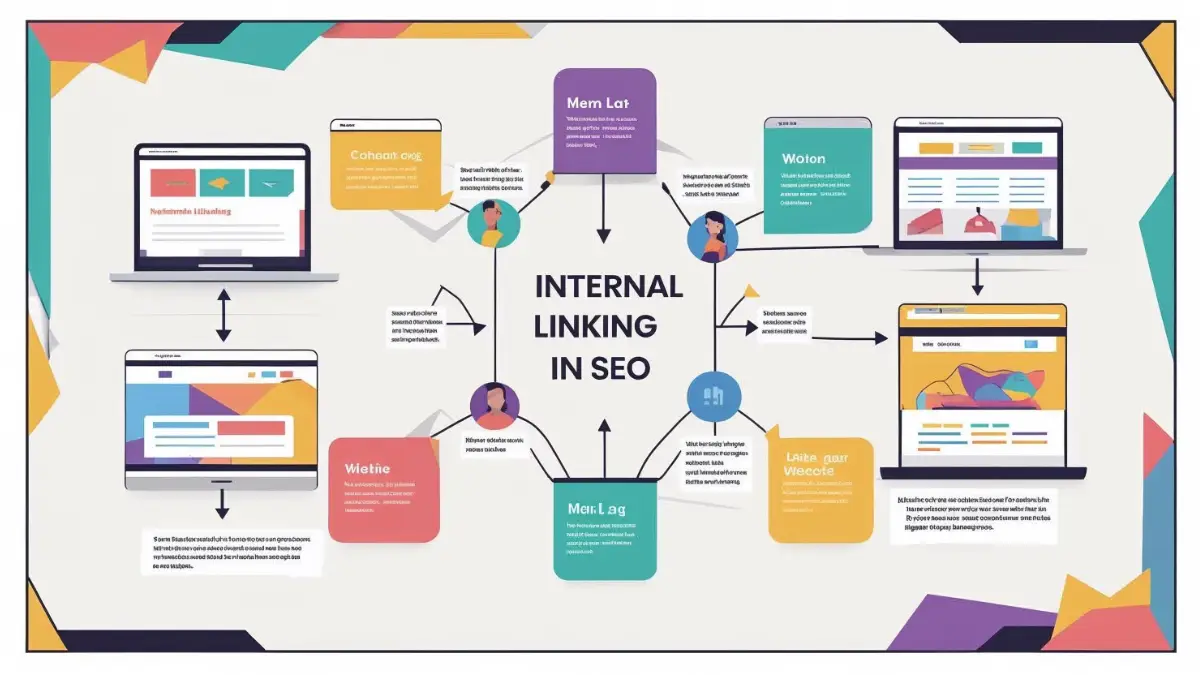
Think of it as a topic cluster diagram: one central node (pillar) in the middle, with spokes radiating out to subtopics, and arrows forming loops of authority as all those pages link back in. This visual model helps non-technical marketers see that you’re not just creating random links — you’re building a network where authority circulates through the cluster instead of getting stuck on a single page.
This structure works equally well for SMBs, SaaS blogs, e-commerce stores, educational websites, and local service businesses.
Why Internal Linking SEO Drives Top Rankings
Internal links SEO concentrates equity on your most valuable “money pages” — product, service, category, or high-intent blog pages — and signals relevance to Google. Zyppy’s analysis of millions of internal links showed that URLs with 40–44 internal links got about four times more clicks from Google than pages with very few internal links, while URLs overloaded with 50+ links started to see diminishing returns.
Key impacts:
-
Crawl budget and indexation: Clear internal pathways help search engines discover deeper pages, increasing the number of URLs that can rank.
-
Topical authority: Connected clusters around a subject (“internal linking SEO,” “topic clusters,” “site architecture”) signal expertise and breadth.
-
User behavior signals: Better internal linking leads to more pages per session, higher session duration, and lower bounce rates — metrics associated with stronger SEO performance.
In many 2026 case studies, internal linking SEO has moved key URLs from the bottom of page 1 or page 2 into the top 3, without adding any new external backlinks.
Proven Benefits Backed by 2026 Data
Recent studies and enterprise audits show how powerful internal links can be:
-
Focused internal-link projects report 25–60% ranking improvements and 40–80% growth in organic sessions when internal linking is systematically improved.
-
Pages with 45–50 internal links saw significantly more organic traffic than pages with very few links, but exceeding 50 links per page often correlated with lower performance — a reminder there is a “sweet spot.”
-
Sites with optimized internal linking strategies report average improvements of 35% in pages per session, 42% longer sessions, and 28% lower bounce rates.
For SEO professionals, agencies, and freelancer SEO specialists, internal linking SEO is one of the highest-ROI activities because you control it completely.
Core Internal Linking Best Practices
Experts generally recommend 5–10 contextual internal links per 2,000 words, with total internal links per page often performing best in the 40–44 range for many sites, depending on layout and navigation. Beyond roughly 50 links, you risk diluting link value and overwhelming users.
Guiding principles:
-
Prioritize contextual links within the body content over boilerplate footer or sidebar links.
-
Make sure every important page is within 3 clicks of your homepage.
-
Avoid orphan pages with zero internal links pointing to them — if Google can’t reach them easily via internal paths, they’re unlikely to perform.
-
Keep navigation clean and logical to support both Navboost-style user behavior metrics and classic PageRank flow.
Master Anchor Text Optimization for Internal Links
Anchor text is how you tell search engines what the target page is about. For internal linking SEO, you can be more descriptive than with external links, as long as it remains natural.
A balanced anchor mix typically looks like:
-
Exact-match anchors (low%): ~2–5% using phrases like “internal linking SEO” or “internal links SEO” where it fits.
-
Partial-match anchors (majority): ~30–50% with variations such as “internal linking strategies,” “internal linking structure,” “internal link best practices,” or “internal linking for topical authority.”
-
Semantic/LSI anchors: Phrases like “link equity distribution,” “crawl budget management,” “SEO site architecture,” or “topic cluster mapping.”
Avoid generic anchors like “click here” or “this article” for SEO-critical links. Descriptive anchors increase relevance and user clarity, which both support better outcomes.
Tools like Ahrefs and Semrush can surface suggested internal link opportunities based on topical similarity, making it easier to scale anchor optimization across large websites.
Implement Hub-and-Spoke Topic Clusters (And Fix Orphan Pages)
Hub-and-spoke (topic cluster) architecture is now the default internal linking SEO pattern for content-heavy sites.
A typical setup:
-
Pillar page: “Internal Linking SEO: Complete Guide.”
-
Cluster pages (spokes):
-
“Anchor Text Best Practices for Internal Links”
-
“Internal Links vs External Links”
-
“How to Audit Internal Linking with Screaming Frog”
-
“Building Topic Clusters for SaaS SEO”
-
Best practices:
-
Every spoke links back to the pillar with descriptive anchor text.
-
The pillar includes a mini “hub” section listing and linking to all spokes.
-
Spokes link to each other where it’s contextually relevant, creating loops of authority and smoothing navigation.
Visually, you can think of:
-
A center node (pillar).
-
Several surrounding nodes (spokes).
-
Arrows going both ways between center and spokes, plus sideways arrows between related spokes.
This mental model is especially useful when explaining orphan pages: anything that sits off to the side with no arrows pointing in is essentially invisible. Your internal linking SEO job is to pull those orphan pages into the cluster so they’re part of the “authority loop” instead of stranded.
Internal Linking, Navboost & User Signals
Leaked and documented insights about Google’s Navboost-style systems suggest that user behavior (clicks, dwell time, pogo-sticking) strongly influences how results are adjusted, especially for navigation- and experience-focused queries.
Strategic internal linking SEO helps you align with these systems by:
-
Offering clear, intuitive pathways that keep users exploring instead of bouncing.
-
Linking to genuinely relevant follow-up resources that match user intent (e.g., from “internal linking basics” to “advanced internal linking strategy for 2026” or “site architecture for e-commerce SEO”).
-
Reducing dead ends and high-bounce single-page sessions.
Better internal linking supports both PageRank and user-satisfaction metrics, which is exactly where modern SEO is heading.
Tools to Audit and Optimize Internal Linking SEO
Professional audits reveal gaps and misallocated equity. Use these tools to map internal links, identify orphans, and plan improvements:
Practical workflow:
-
Crawl with Screaming Frog to extract inlinks/outlinks, click depth, and orphan pages.
-
Sort by inlink count to find important URLs that are underlinked.
-
Use Ahrefs or similar tools to discover content that should logically link to those underlinked pages.
-
Add contextual internal links with descriptive anchors.
-
Monitor changes in impressions and clicks in GSC over 4–8 weeks.
On mid-sized sites, a single internal linking SEO audit can surface 50–100 high-value linking opportunities.
Real-World Internal Linking SEO Wins (Including Local SEO)
Internal linking wins show up across different business types:
-
E-commerce: An online store added deeper internal links from popular category pages to level-3 product pages. Within one quarter, those products saw 25–40% organic session growth and improved positions for mid-tail keywords.
-
Marketplaces & SaaS: A marketplace improved links to geo-specific pages (city/location landing pages), which unlocked new ranking terms and doubled impressions for local queries. SaaS brands saw similar gains when linking from educational blogs to “pricing” or “demo” pages.
-
Local & Professional Services (Kanpur, Delhi, etc.): For service businesses, internal linking SEO can be a game changer for local visibility. Imagine you have a blog post on “GST filing tips for small businesses” — linking that post internally to your “Accountant SEO Kanpur” service page or “GST Consultant in Delhi” local page tells Google that this location page is highly relevant for tax and accounting queries. Over time, these contextual links from content to local service pages help those regional landing pages move up for “accountant in Kanpur,” “GST consultant Delhi,” or “CA for startups in Delhi” searches.
For clients, we often combine internal linking across:
-
Blog posts
-
Local service pages (Kanpur, Delhi, Mumbai, etc.)
-
Core conversion pages (Contact, Consultation, Pricing)
This ensures that every new piece of content supports your local SEO footprint, not just your blog traffic.
Internal Linking for AI Overviews and Semantic SEO
Google’s AI Overviews and other generative search experiences tend to favor structured, well-organized content. Internal linking SEO and topical clustering help create this structure.
To make your internal linking support AI and semantic search:
-
Use clear headings and short, direct answers at the top of each section.
-
Internally link related explanations and definitions so AI systems can trace context across your site.
-
Build clusters that cover the breadth of a topic — “internal linking SEO,” “site architecture,” “topic clusters,” “crawl budget,” “link equity flow” — instead of scattered, one-off posts.
This makes it easier for AI systems and search engines to understand how your content fits together and to surface your pages as part of rich, multi-part answers.
Internal Linking (The Meta Move): Turn Readers into Leads
Anyone reading an in-depth guide on Internal Linking SEO is already thinking about site structure, content gaps, and link flow. That makes this page a perfect place to invite them into higher-intent actions.
Two strategic internal links you should add from this pillar page:
-
A contextual link to your Content Marketing service page — for example, from a sentence about building pillar pages and topic clusters, link “content marketing strategy” or “SEO content marketing services” to your service URL.
-
A contextual link to your SEO Audit service page — from a section discussing Screaming Frog or Ahrefs audits, link “technical SEO audit” or “SEO audit service” to the audit page.
This “meta” internal linking closes the loop: readers learn about internal link flow, then can immediately request a content strategy or SEO audit to implement it properly on their own site.
Actionable Internal Linking SEO Checklist
You can start improving internal links today with this simple plan:
-
Crawl your site with Screaming Frog and export internal link reports.
-
List your money pages (services, category pages, high-intent blog posts, local Kanpur/Delhi pages, etc.).
-
Add 5–7 contextual links from relevant content to each money page using descriptive anchors.
-
Ensure click depth for important URLs is ≤3 from the homepage.
-
Create or refine hub pages for key topics and link cluster content to them (plus to your Content Marketing and SEO Audit service pages).
-
Monitor in GSC: impressions, clicks, average position, and pages per session for 4–8 weeks.
Repeat this quarterly as part of your broader content and SEO process.
FAQs:
1. What is internal linking in SEO and why is it important?
Internal linking is the practice of linking from one page on your site to another. It helps distribute link equity, improve crawlability, and guide users to related content. In 2026, internal linking SEO is critical because it supports both PageRank-style authority and user-behavior-based systems like Navboost, boosting visibility and engagement.
2. How many internal links per page should I use for SEO?
Most studies and guides suggest aiming for roughly 5–10 contextual internal links per 2,000 words and a total of around 40–44 internal links per page for many sites. Going far beyond 50 internal links on a single page can dilute link value and may correlate with lower performance, so focus on quality and relevance over raw numbers.
3. What internal anchor text strategy works best today?
Use a mix of exact-match, partial-match, and semantic anchors. Keep exact-match anchors (like “internal linking SEO”) to a modest percentage and rely more on natural, descriptive phrases (“internal linking strategy,” “site architecture best practices,” “topic cluster guide”) that align with user intent and page content. Avoid generic anchors like “click here” for important SEO links.
4. How does internal linking build topical authority and help local pages (e.g., Kanpur or Delhi)?
Internal linking groups related content into clear topic clusters, signaling depth and breadth on that subject. When you link relevant blog posts (for example, a “GST tips” article) to city-specific service pages like “Accountant SEO Kanpur” or “Tax Consultant in Delhi,” you strengthen those local pages for related queries and help them rank higher in local and service-intent searches.
5. How do I audit internal linking SEO with free or affordable tools?
Use Screaming Frog (free up to a certain page limit) to crawl your site and extract inlink/outlink data, click depth, and orphan pages. Combine that with Google Search Console to see which URLs get impressions and clicks but have weak internal support. For more advanced internal linking ideas and semantic suggestions, use Ahrefs, Semrush, or dedicated internal linking tools as your budget allows.
🚀 Get Your Free Technical SEO Audit
We'll identify critical issues hurting your rankings — delivered in 24 hours, no obligation.
Get Free Audit →