25 Best On-Page SEO Tools (Free + Paid) to Dominate Search
 By Vinod Saini
Last Updated on January 15, 2026 by Vinod Saini
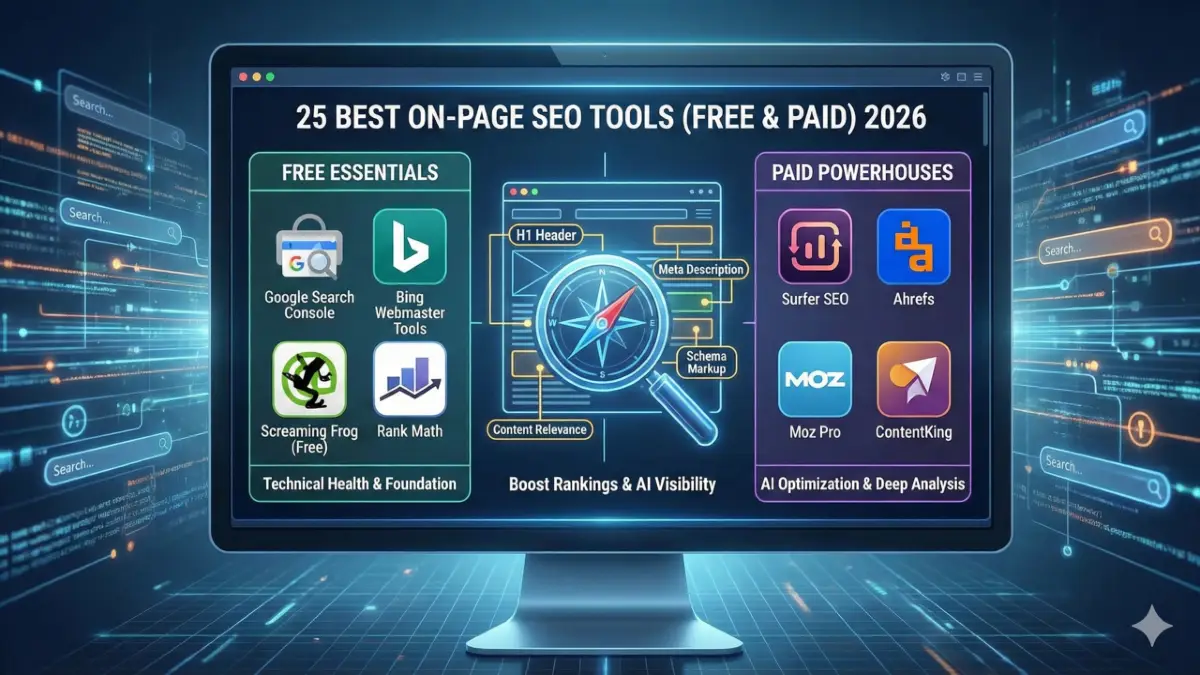
In the rapidly evolving landscape of search engines, the difference between page one and page ten often comes down to the precision of your toolkit. As algorithms shift toward semantic understanding and AI-generated answers, having a robust set of seo tools is no longer optional—it is critical.
Whether you are auditing technical health, optimizing content for entity relevance, or tracking nuanced ranking factors, the right software accelerates your results. This guide breaks down the top 25 tools that will define high-performance SEO strategies this year, categorized by accessibility and impact.
Chapter 1: The Essentials – Free SEO Tools
You do not always need a massive budget to secure massive results. These free seo tools provide professional-grade data, allowing you to fix technical foundations and optimize content without spending a dime.
1. Google Search Console
-
Core Function: Monitor indexing status, crawl behavior, and site performance.
-
Why It Wins: It is the only tool that provides data directly from the source. You can view exact organic search queries, identify coverage errors preventing indexing, and submit sitemaps.
-
Pro Tip: Use the “Inspect URL” tool to see exactly how Google renders your page’s code.
2. Bing Webmaster Tools
-
Core Function: Site scan and SEO reports for Bing search optimization.
-
Why It Wins: Often overlooked, this platform offers a powerful “Site Scan” feature that rivals paid crawlers. It identifies technical issues like missing H1s and large images that affect performance across all search engines, not just Bing.
3. Greenflare
-
Core Function: Open-source SEO crawler for technical audits and site analysis.
-
Why It Wins: A lightweight, open-source Linux/Windows/Mac desktop application. It mimics a search engine spider to crawl your site, offering unrestricted crawling capabilities typically reserved for expensive enterprise software.
4. httpstatus.io
-
Core Function: Check HTTP status codes, response headers, and redirect chains.
-
Why It Wins: Speed and accuracy. It allows you to bulk check URLs to ensure your 301 redirects are clean and not creating “hop chains” that dilute link equity (PageRank).
5. SEO Server Header Checker
-
Core Function: Extract server headers and technical SEO data from a URL.
-
Why It Wins: It reveals invisible server-side data. Use this to verify
X-Robots-Tagheaders, ensuring you aren’t accidentally blocking Googlebot from pages that look normal in a browser.
6. Siteliner
-
Core Function: Detect duplicate content, broken links, and site issues.
-
Why It Wins: It visualizes “Common Content” vs. “Unique Content” percentages. This is vital for on-page SEO, as search engines devalue pages with too much boilerplate text.
7. SEO Minion
-
Core Function: On-page SEO analysis, broken links, hreflang checker, SERP preview.
-
Why It Wins: A browser extension powerhouse. Its standout feature is the “Hreflang Checker,” which instantly validates international SEO tags—a task that is usually complex and prone to errors.
8. Detailed SEO Extension
-
Core Function: Meta tags, headings, schema, and structure insights.
-
Why It Wins: It offers a “one-click” X-ray of any webpage. You can instantly see the Heading structure (H1-H6) to ensure logical flow, which is crucial for helping AI understand your content hierarchy.
9. SEO Pro Extension
-
Core Function: On-page SEO audits and metadata checks.
-
Why It Wins: Created by Marketing Syrup, this extension emphasizes Core Web Vitals and image optimization. It quickly highlights missing alt text and schema markup gaps directly in your browser tab.
10. Link Redirect Trace
-
Core Function: Analyze redirect paths and HTTP headers.
-
Why It Wins: It exposes the “full path” of a link. If a backlink hits a 301, then a 302, and then a 200 OK, you are losing authority. This tool helps you spot and fix those leaks.
11. Varvy SEO Tool
-
Core Function: Page speed, mobile-friendliness, and on-page SEO checks.
-
Why It Wins: It follows Google’s guidelines strictly. Varvy visually maps out if your page is accessible to Googlebot, specifically checking if CSS or JS files are blocked, which can prevent proper rendering.
Chapter 2: The Powerhouses – Free + Paid Tools
When you are ready to scale, these best seo tools offer a “freemium” model. They give you a taste of enterprise power with the option to upgrade for deeper insights.
12. SEOlyzer
-
Core Function: Website crawler and log file analyzer for technical SEO insights.
-
Why It Wins: Log analysis is the “black box” of SEO. SEOlyzer shows you exactly which pages Googlebot visits in real-time, helping you identify crawl budget waste on low-value pages.
13. Checkbot
-
Core Function: SEO, web speed, and security testing.
-
Why It Wins: A Chrome extension that acts like a mini-audit tool. It tests hundreds of pages at once for broken links, duplicate titles, and insecure content (HTTP/HTTPS mixed content errors).
14. Ahrefs Webmaster Tools
-
Core Function: Site audit and backlink monitoring (Limited Free).
-
Why It Wins: Even without a paid subscription, site owners can verify their domain to get full access to Site Audit and Site Explorer data for their own properties. It is arguably the most valuable free access in the industry.
15. Screaming Frog SEO Spider
-
Core Function: Website crawler for technical SEO audits.
-
Why It Wins: The industry standard for crawling. The free version crawls up to 500 URLs, perfect for small sites. It finds deep technical flaws like orphan pages, circular redirects, and large file sizes.
16. Yoast SEO
-
Core Function: WordPress SEO plugin for on-page and technical SEO.
-
Why It Wins: It automates technical complexity. Yoast handles canonical tags and basic schema markup automatically, allowing writers to focus on readability and keyword placement.
17. Rank Math SEO
-
Core Function: Advanced WordPress SEO plugin with schema and automation.
-
Why It Wins: It offers premium-style features for free. Rank Math includes a built-in 404 monitor, redirection manager, and advanced schema generator, consolidating multiple plugins into one.
18. Seobility
-
Core Function: Technical audit, on-page checks, and SEO monitoring.
-
Why It Wins: It crawls your entire site and calculates an optimization score. Its “TF-IDF” tool (in the paid version, with free trials) helps you understand the semantic relevance of your content compared to top competitors.
19. Ubersuggest
-
Core Function: SEO audit, content ideas, and backlink tracking.
-
Why It Wins: User-friendliness. It simplifies complex metrics into easy-to-understand reports, making it ideal for business owners who want to track their rankings and site health without a steep learning curve.
Chapter 3: The Professionals – Paid Tools
To dominate competitive niches, you need specialized onpage seo tools that leverage AI and big data. These premium investments provide the edge needed to outperform established rivals.
20. Surfer SEO
-
Core Function: Content optimization based on SERP analysis.
-
Why It Wins: Surfer removes the guesswork. It analyzes the top-ranking pages for your target keyword and tells you exactly how many words, headings, images, and partial-match keywords you need to rank.
21. Spark Content Optimizer
-
Core Function: Content optimization for better SEO performance.
-
Why It Wins: A plugin by seoClarity, this tool brings enterprise-level data to your browser. It helps you assess the “authority” of your content topics and ensures your on-page elements align with technical best practices while you write.
22. Mangools SEO Tools
-
Core Function: Keyword research, SERP analysis, and on-page optimization.
-
Why It Wins: Known for its beautiful interface and the “KWFinder” tool, Mangools excels at finding low-difficulty keywords. Its “SERPWatcher” feature allows you to track how your on-page changes impact rankings in real-time.
23. Moz Pro On-Page Grader
-
Core Function: On-page optimization score with suggestions.
-
Why It Wins: It provides a singular “Page Score.” By analyzing keyword usage in the title, URL, and body, it gives you a prioritized checklist of fixes to improve relevance and click-through rates.
24. ContentKing
-
Core Function: Real-time SEO auditing and monitoring for websites.
-
Why It Wins: Traditional crawlers only check when you run them; ContentKing watches 24/7. If someone accidentally deletes a meta tag or breaks a page, it alerts you immediately, preventing revenue loss.
25. DeepCrawl (Lumar)
-
Core Function: Enterprise-level website crawler for technical SEO insights.
-
Why It Wins: Scalability. Designed for sites with millions of pages, it can render JavaScript at scale, ensuring you understand exactly how search engines view complex, modern web architectures.
Conclusion
The landscape of search engine optimization is vast, but your toolkit doesn’t have to be overwhelming. Success lies in choosing the best on page seo tools that match your current scale and technical needs.
For beginners, the combination of Google Search Console and Rank Math provides a solid foundation. As you grow, integrating data from Screaming Frog and content insights from Surfer SEO will ensure your strategy remains data-driven and effective. Start auditing, start optimizing, and watch your visibility climb.
Frequently Asked Questions (FAQs)
1. What are the best on page seo tools for beginners in 2026?
For beginners, Rank Math and Google Search Console are essential. They help you handle technical basics like sitemaps and meta tags without cost. As you grow, best on page seo tools like Surfer SEO can be added to guide your content writing with data-driven insights.
2. Can I rank high using only free seo tools?
Yes, you can achieve significant rankings using free seo tools like Screaming Frog (Free) and Ubersuggest. While paid tools offer automation and deeper data for large sites, free tools provide sufficient data to correct technical errors and optimize content for small to medium websites.
3. What is the difference between technical and onpage seo tools?
Technical tools focus on site health, such as speed and crawlability (e.g., DeepCrawl). In contrast, onpage seo tools focus on the content itself, analyzing keyword usage, readability, and user intent. You need a mix of both to ensure your site is both readable by humans and understandable by bots.
4. How do on-page tools help with AI Overviews?
Modern seo tools help you structure content with clear headings and schema markup, which AI uses to understand and summarize information. Tools like Detailed SEO Extension allow you to verify your header hierarchy, increasing the chances of your content being featured in AI-generated answers.
5. Which are the best seo tools for checking duplicate content?
Siteliner is one of the best seo tools for detecting internal duplicate content that dilutes your ranking signals. For external plagiarism checking (ensuring your content is unique across the web), Copyscape is the industry standard, though Siteliner focuses specifically on on-site duplication.
6. Do free seo tools provide accurate data?
Generally, free seo tools like Google Search Console provide the most accurate traffic data because it comes directly from Google. However, third-party free tools may have limits on data depth (e.g., fewer keyword suggestions). For comprehensive competitive analysis, paid tools often provide broader and more historical datasets.
🚀 Get Your Free Technical SEO Audit
We'll identify critical issues hurting your rankings — delivered in 24 hours, no obligation.
Get Free Audit →